Help
Tap a wheel to pick something fun. This page walks through spinning, lists, and accounts.
Spin a list
- Open the library and tap Spin, or open one of your lists.
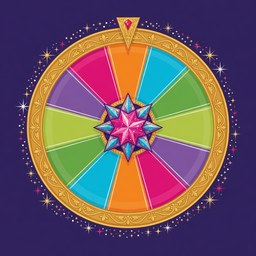
- Tap the wheel. Sparks fly from the tap.
- The wheel slows. Confetti falls and the winner pops up big.
- Tap Spin again when you are ready for another pick.
Picks show under the wheel. Sign in to keep them after you close the browser.
Lists
The library is full of ready-made lists. Sign in to make your own or copy one. You can change lists you own. Shared starter lists are copied, not edited in place.
Each pick can have:
- Name — skip this if you pick an icon.
- Icon — skip this if you pick a name.
- Color — the slice color. A palette color is used if you skip it.
- Wait time — how long this pick sits out after it wins. Optional.
- On the wheel — turn a pick off to leave it out.
A name or an icon is enough.
How the wheel chooses
- Full random
- Any pick that is on can win.
- Repeat cadence
- After a win, that pick waits its time before it can win again. Picks with no wait stay in the mix. If everything is waiting, the wheel pauses.
- Disable once chosen
- Each winner leaves the wheel until you reset. The shared list itself does not change.
- Cycle through all
- Every pick gets a turn. Then the wheel mixes them and starts over.
Your waits and turns are just for you. Other people spinning a shared list keep their own progress.
Accounts
Sign up with email, password, and a display name. No confirmation email. The name shows on lists you share. Signing in can fold this visit’s picks into the account when that list does not already have saved progress.
Private lists stay off the library. Copies start private. You can share them later from the editor.
Copy and reset
Copy to my lists makes a personal version you can edit. Reset progress shows up when every pick has had a turn in Disable once chosen. It puts those picks back on your wheel without changing the list.